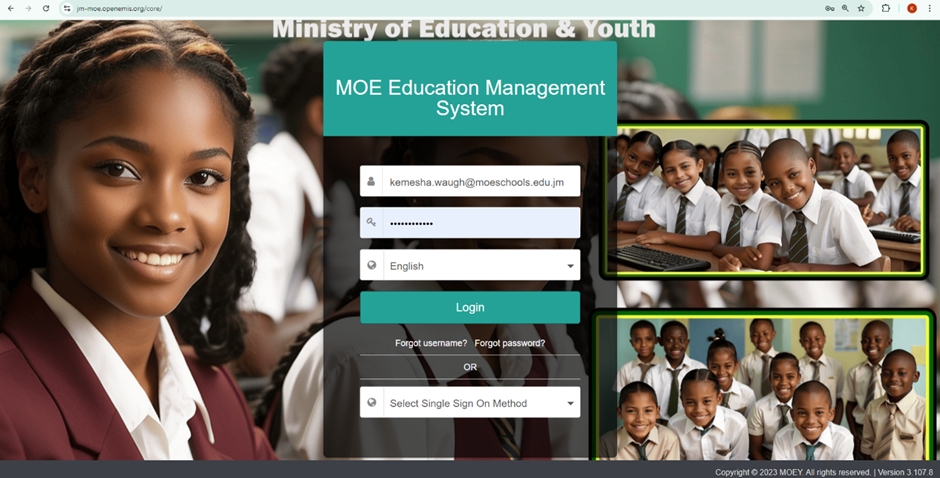
Below is a step-by-step guide on how to log in to the OpenEMIS Core platform using the web version on a laptop or tablet.
Steps:
- Visit https://jm-moe.openemis.org/core.
- Username: Your MOE school's email (e.g. firstname.lastname.r1@moeschools.edu.jm).
- Password: M03Y@TR3Nd (default; must be reset on first login).
Notes:
- The default password requires immediate change upon first login.
- Teachers should contact the school administrator if login issues occur.
Was this article helpful?
That’s Great!
Thank you for your feedback
Sorry! We couldn't be helpful
Thank you for your feedback
Feedback sent
We appreciate your effort and will try to fix the article