You can change your password when logged in by using the following steps:
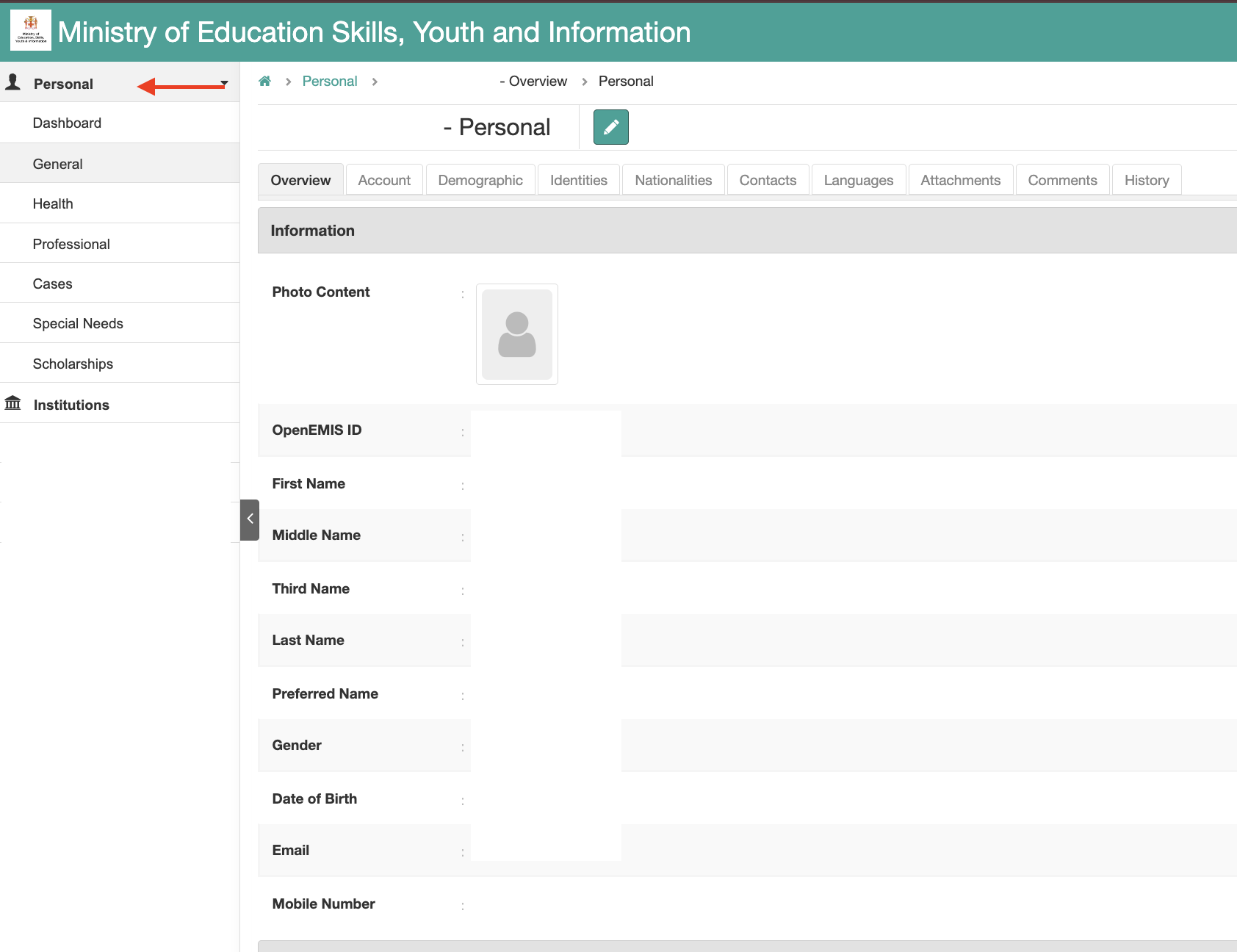
Step 1: Access your account
- When you log in, click the Personal button
- There, you will see all your personal details.
Step 2: Access the Account tab
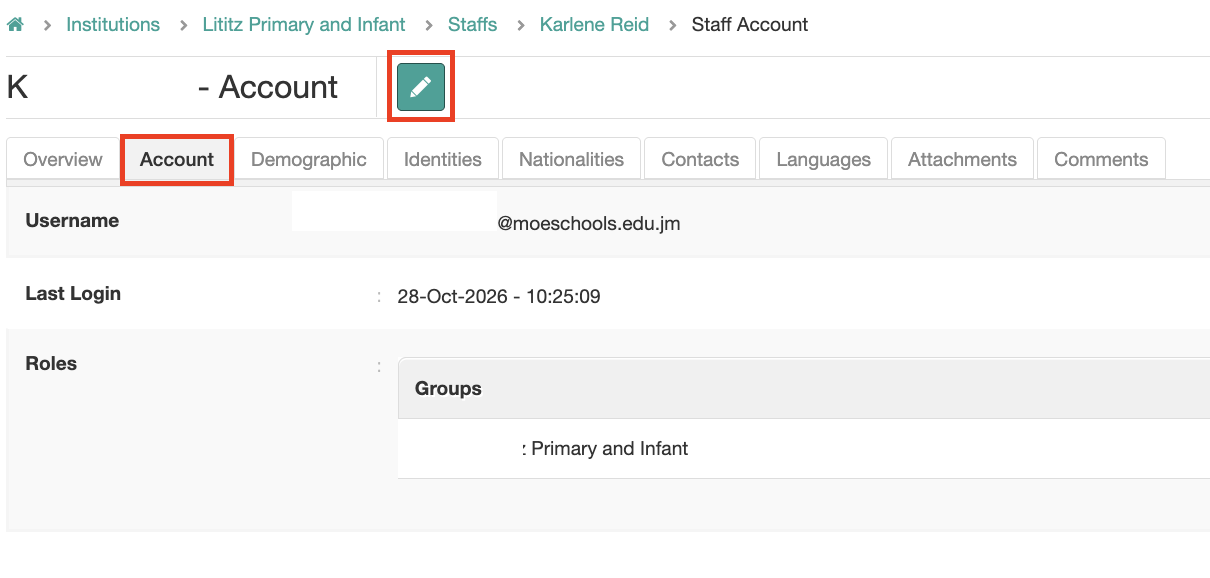
- Once on the details page, click Account
- There you will see your username, last login, and user role
- Click the Pencil icon to go into edit mode
Step 3: Edit the Account details
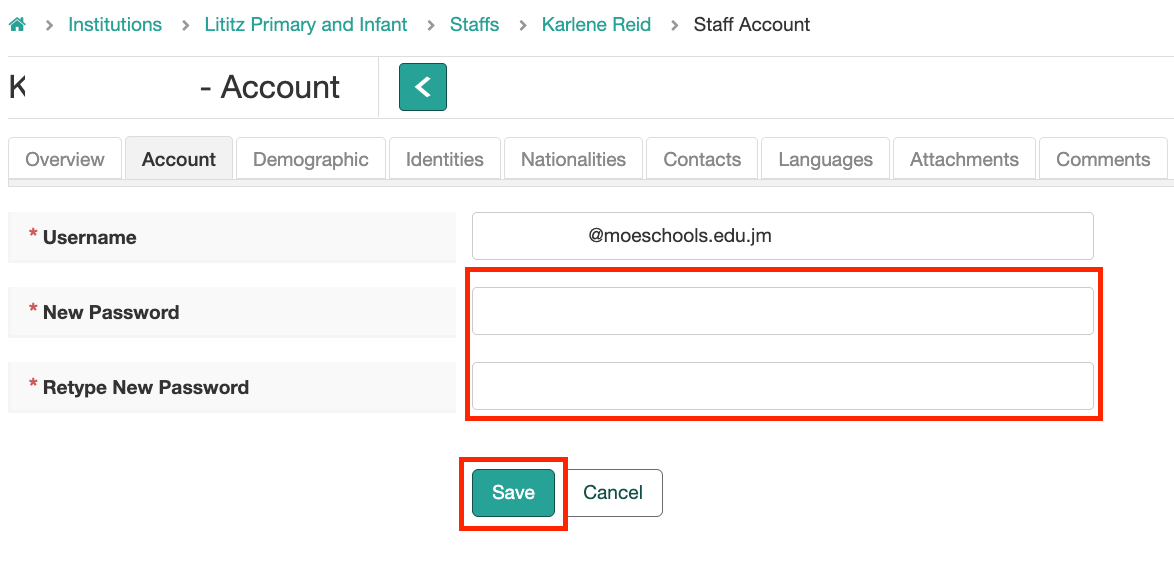
- You can update your Username and add the New Password
- You must type the password twice to save it
- Click Save
If you change the username, the password must be updated as well.
Was this article helpful?
That’s Great!
Thank you for your feedback
Sorry! We couldn't be helpful
Thank you for your feedback
Feedback sent
We appreciate your effort and will try to fix the article