If you have forgotten your password, you can easily reset it by following the steps below:
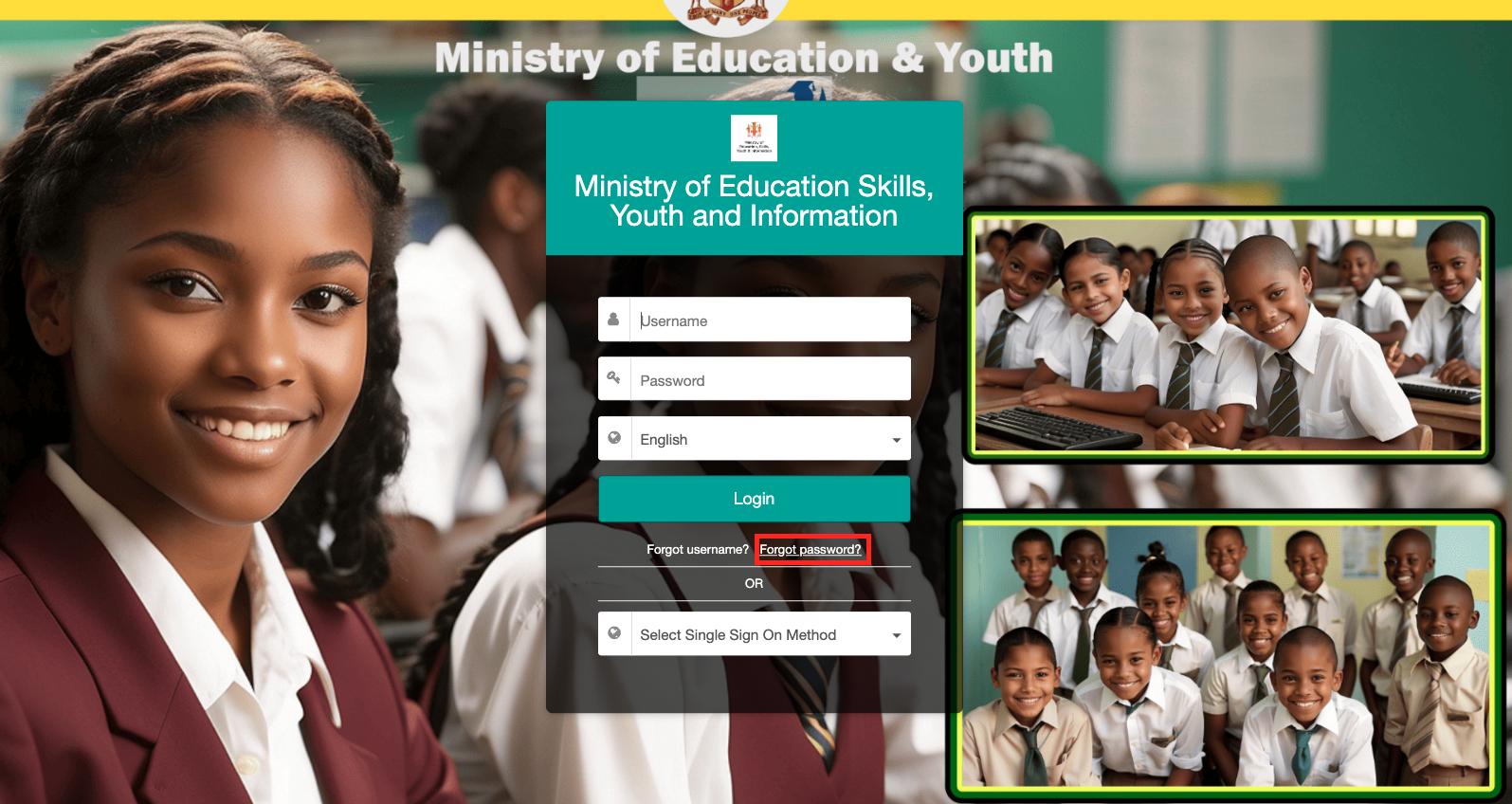
Step 1: On the login page, click the Forgot Password button
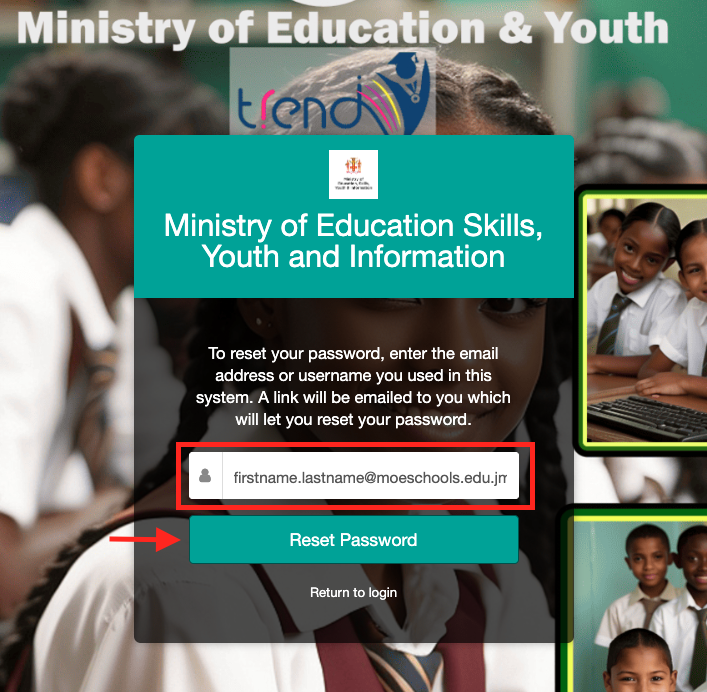
Step 2: Enter your personal moeschools email associated with your EMIS account and click the Reset Password button.
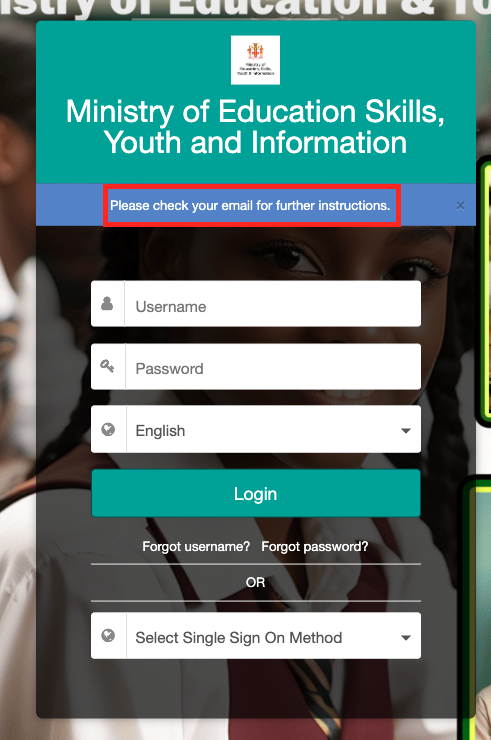
Step 3: You should see a notification to check your email for the reset link. If you do not receive an email, then your email address might be incorrectly typed or not configured correctly in the system.
Please create a ticket here for further assistance if you do not receive an email with a reset link after 5 minutes.
Was this article helpful?
That’s Great!
Thank you for your feedback
Sorry! We couldn't be helpful
Thank you for your feedback
Feedback sent
We appreciate your effort and will try to fix the article